フォアグランド通知表示
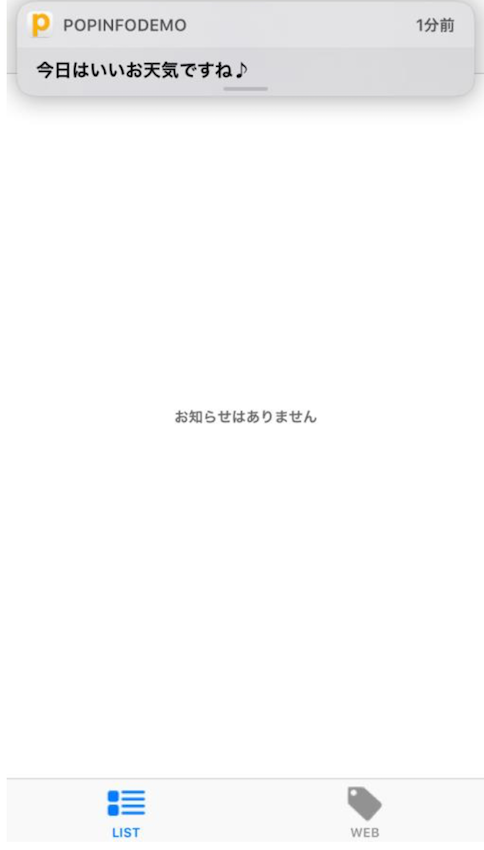
iOS 10 から、アプリがフォアグラウンド状態でプッシュ通知が届いた時、通知センターのバナーを出すことが可能になりました。
実装方法
AppDelegate.m において、UNUserNotificationCenterDelegate の userNotificationCenter:willPresentNotification:withCompletionHandler: を以下のように実装してください。
表示されたバナーをユーザーがタップすると、userNotificationCenter:didReceiveNotificationResponse:withCompletionHandler: がコールされ、プッシュ通知の受信処理、お知らせ詳細画面への遷移などに進みます。
- (void)userNotificationCenter:(UNUserNotificationCenter *)center willPresentNotification: (UNNotification *)notification withCompletionHandler:(void (^)(UNNotificationPresentationOptions options))completionHandler
{
    UNNotificationTrigger *trigger = notification.request.trigger;
    if ([trigger isMemberOfClass:[UNPushNotificationTrigger class]]) {
        completionHandler(UNNotificationPresentationOptionBadge | UNNotificationPresentationOptionSound | UNNotificationPresentationOptionAlert);
    }
}
func userNotificationCenter(_ center: UNUserNotificationCenter, willPresent notification: UNNotification, withCompletionHandler completionHandler: @escaping (UNNotificationPresentationOptions) -> ()) {
    let trigger = notification.request.trigger
    if type(of: trigger) == UNPushNotificationTrigger.self {
        completionHandler([.badge, .alert, .sound])
    }
}